Product Announcement: Updated QR Code Download Formats
We're excited to announce new QR code download formats for KlipLink, driven directly by user feedback and the evolving needs of our community.
What's Changed?
After discussing potential improvements and gathering feedback from our community, we've made some useful updates to our QR code features.
Main QR Code Changes
- New QR code download formats
- Subtle UI improvements
- Faster, more responsive live previews
- Core technical enhancements to the QR code generation engine
Most Importantly - QR Code Downloading
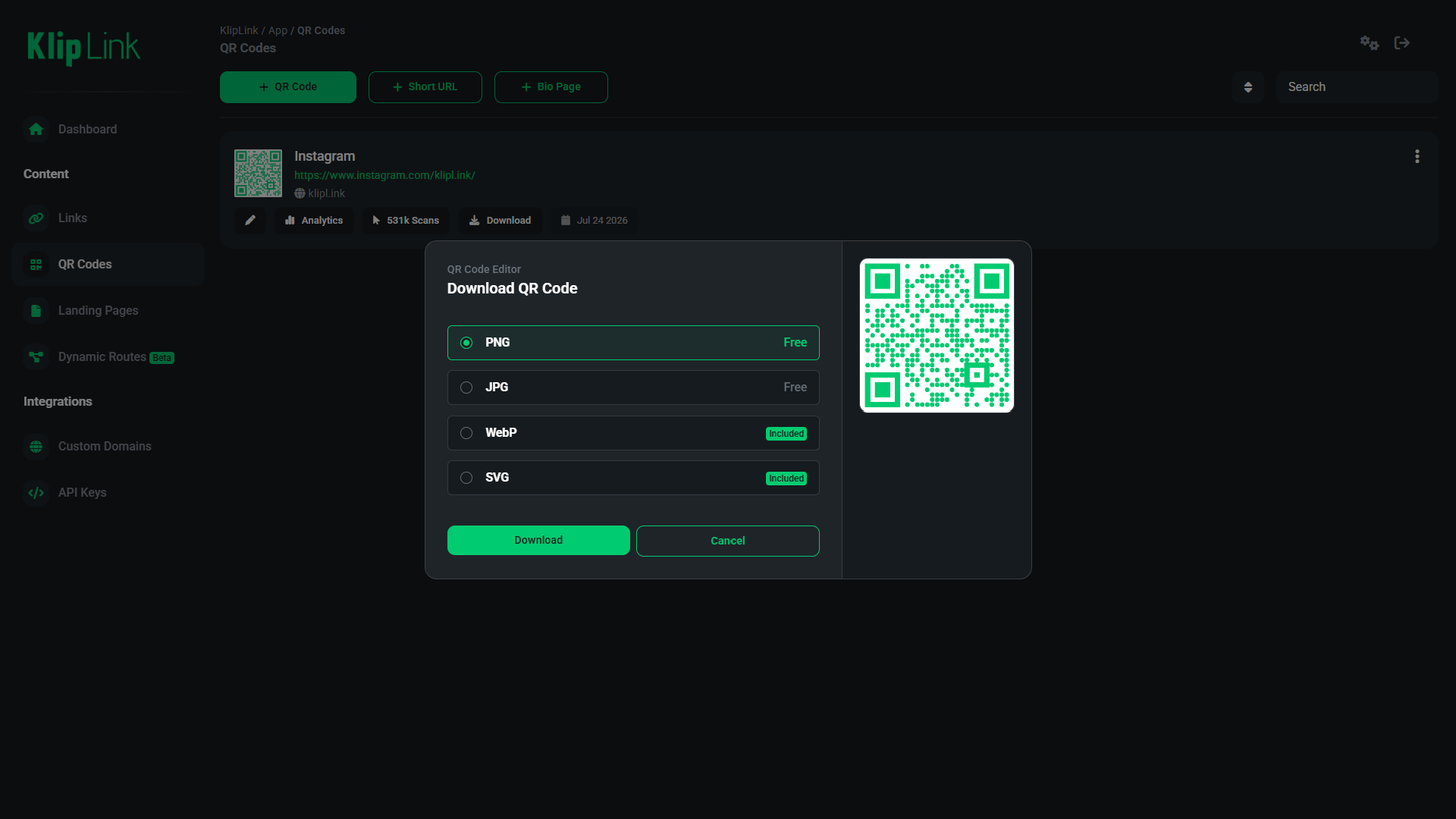
This long-awaited update allows you to download QR codes in various file formats. Highly requested by our users, this feature provides greater flexibility in how you use and distribute your QR codes.
New download formats:
- PNG - High-quality raster image format for sharing
- JPG - Widely supported, lightweight raster image format
- WEBP - Optimized for high-speed web pages
- SVG - Vector format suitable for high-quality scalable graphics and print
Additional Changes
In addition to the new download formats, we've also made several improvements to the overall QR code generation and management experience.
UI Changes
You may notice some subtle UI updates in the QR code editor and preview sections, including an improved layout and more intuitive controls. Most notably, a dedicated QR code download menu now gives you full control over your export preferences.
Live Previews
We've optimized the live preview engine for a much faster, smoother experience. In addition, editing previews are now instantly scannable without redirecting to temporary preview links.
Technical Improvements
By optimizing error correction and encoding, we've made our QR code grid structures cleaner - allowing them to be scanned reliably at smaller physical print sizes while keeping exported file sizes lightweight.
Don't have an account yet?
Like what you've seen in this product update? Join KlipLink today—it's free!
Final Thoughts
Overall, these updates provide a seamless experience when creating, editing, and exporting your QR codes.